CrookedMarks
Every bookmark, one glance.
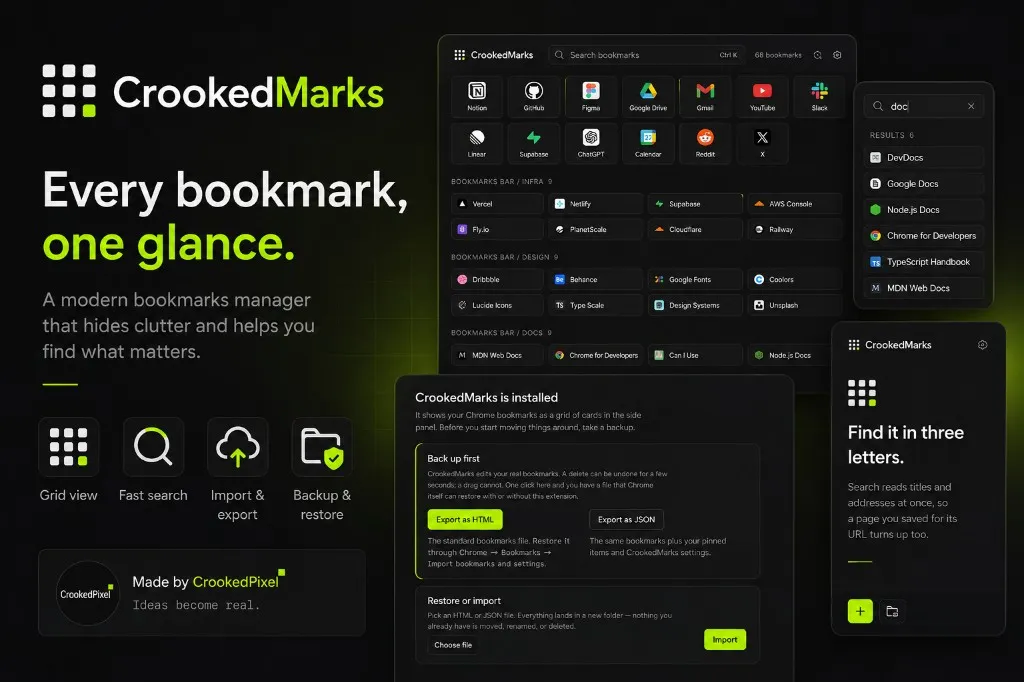
Chrome bookmarks are useful right up until you have too many of them.
A few folders quickly become dozens. Useful links disappear into nested menus, the bookmarks bar becomes crowded, and finding something you saved weeks ago often means digging through Chrome and trying to remember where you put it.
CrookedMarks takes a different approach: instead of hiding your bookmarks in a list, it puts them in a visual grid that you can scan at a glance.
Your bookmarks, laid out
CrookedMarks turns your Chrome bookmarks into a clean, organized dashboard.
Bookmarks are displayed as compact cards with their familiar icons and titles, grouped into the same folders you already use. Your existing structure stays recognizable, but browsing becomes much faster because you can see more of it at once.
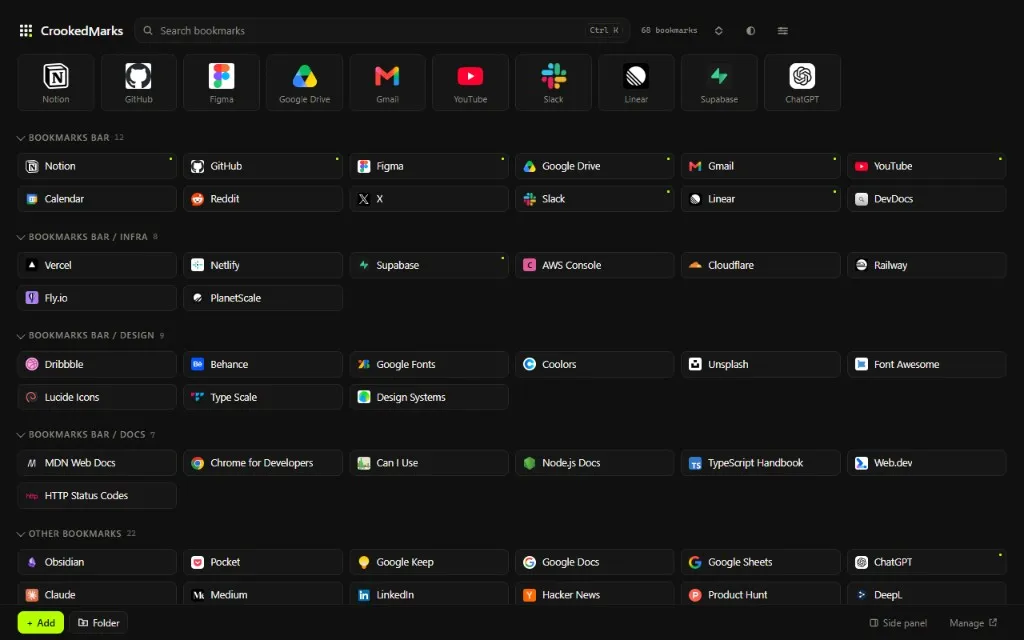
Whether you’re looking for a design reference, a development tool, a document, or a site you saved for later, the goal is simple:
less digging, more finding.
Built for the side panel
One of the most useful parts of CrookedMarks is that it doesn’t force you to leave the page you’re working on.
Open the Chrome side panel and your bookmarks are right there.
You can browse your collections while reading documentation, researching a topic, writing, designing, or working through a project. The bookmark manager stays alongside your current tab instead of becoming another destination you have to switch to.
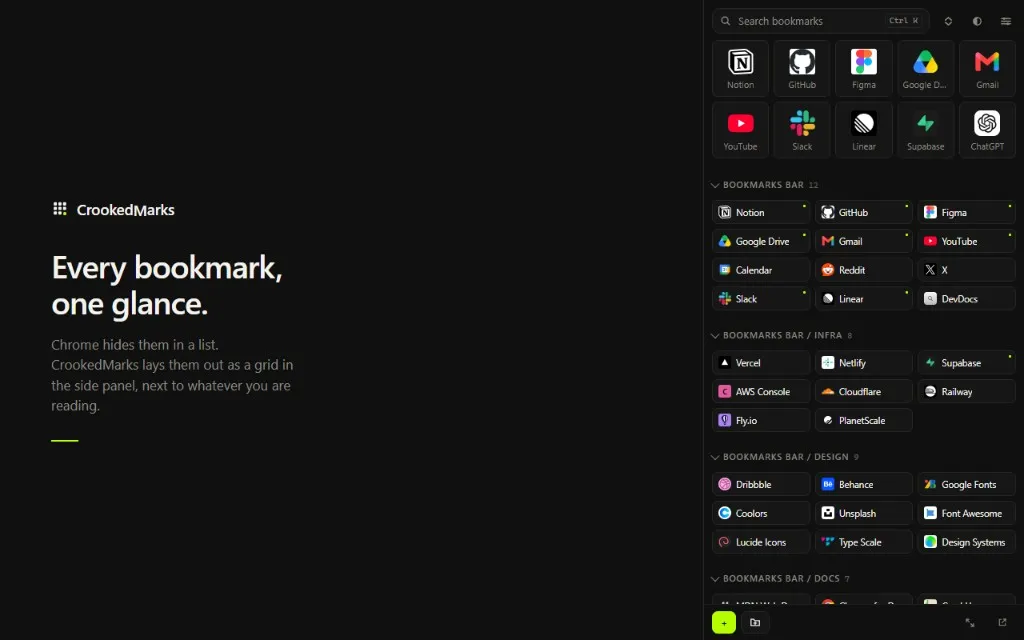
That makes bookmarks feel less like an archive and more like a workspace.
Search without folder hunting
Sometimes you don’t remember which folder contains a bookmark. You remember what you were looking for.
CrookedMarks makes that distinction useful.
Search can look through bookmark titles and addresses, so entering a few letters can surface the page you’re after without manually opening folders.
Looking for something related to “docs”? Search it.
Looking for a development tool whose name you only vaguely remember? Search it.
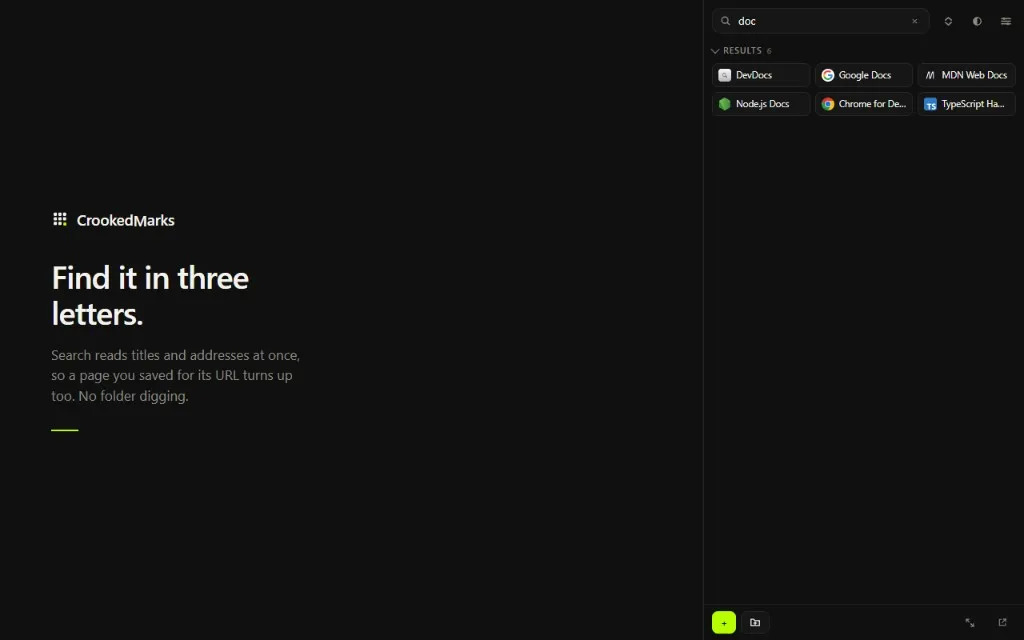
The idea is straightforward: find the bookmark, not the folder.
A full view when you need it
The side panel is ideal for quick access, but CrookedMarks also provides a full-page view when you want to work with your bookmarks as a larger collection.
The larger layout makes it easier to scan categories, review what you’ve saved, and manage a bigger bookmark library.
It’s the same collection, presented in the format that makes sense for the task.
Your bookmarks are still yours
Changing the way you interact with bookmarks shouldn’t mean giving up control of them.
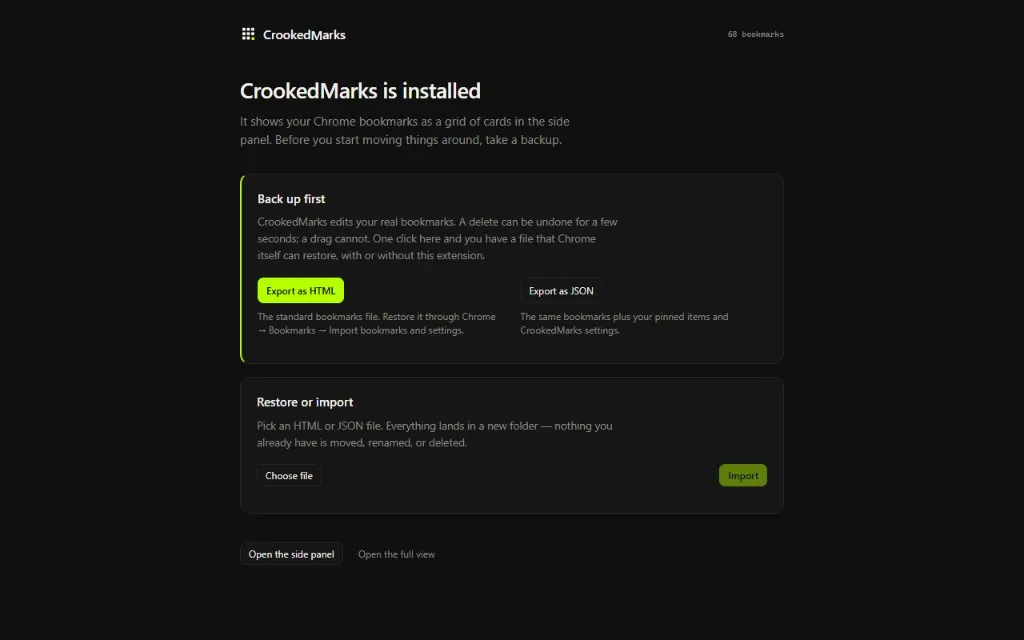
CrookedMarks includes backup and restore tools so you can export your collection before making changes.
You can export your bookmarks as HTML for compatibility with Chrome’s standard bookmark system, or use JSON to preserve CrookedMarks-specific information such as pinned items and settings.
Importing is supported as well, giving you a straightforward way to bring a bookmark collection into a fresh setup.
And because bookmark management can involve real data, CrookedMarks puts the backup step front and center.
Designed to stay out of the way
The interface is intentionally minimal.
Dark surfaces, compact cards, subtle borders, and a bright lime accent keep the interface focused on the bookmarks themselves. There are no complicated dashboards to learn and no new organizational system you have to adopt.
You already have bookmarks.
CrookedMarks simply gives them a better place to live.
From bookmark list to visual workspace
Chrome’s default bookmark experience works well when you have a small collection.
But once your bookmarks become part of how you work, a long list starts to feel limiting.
CrookedMarks is built around a simple idea:
Your bookmarks shouldn’t be something you have to dig through. They should be something you can see.
A visual grid makes collections easier to scan. Search makes individual links easier to find. The side panel keeps them available while you work. Backup and restore give you control over the collection underneath it all.
If your Chrome bookmarks have quietly grown into a collection of dozens—or hundreds—of useful links, CrookedMarks gives them a workspace worthy of them.
Every bookmark. One glance.
CrookedMarks is made by CrookedPixel — Ideas become real.