CrookedBeat
Your folder. On repeat.
I wanted a simple app that plays music from my folder, stays in the background, and takes up little space. Set it up once, then forget about it.
With a regular media player, I kept running into the same problem. Put some music on, get to work. Then I need to watch a video from disk or open an audio file. It opens in the same player and disrupts the music playlist. To get back to the music, I have to reopen the playlist, sometimes rebuild it.
A small annoyance, but I got tired of it.
So I made CrookedBeat, a separate Windows player that simply keeps my music playing in the background.
The folder is the playlist
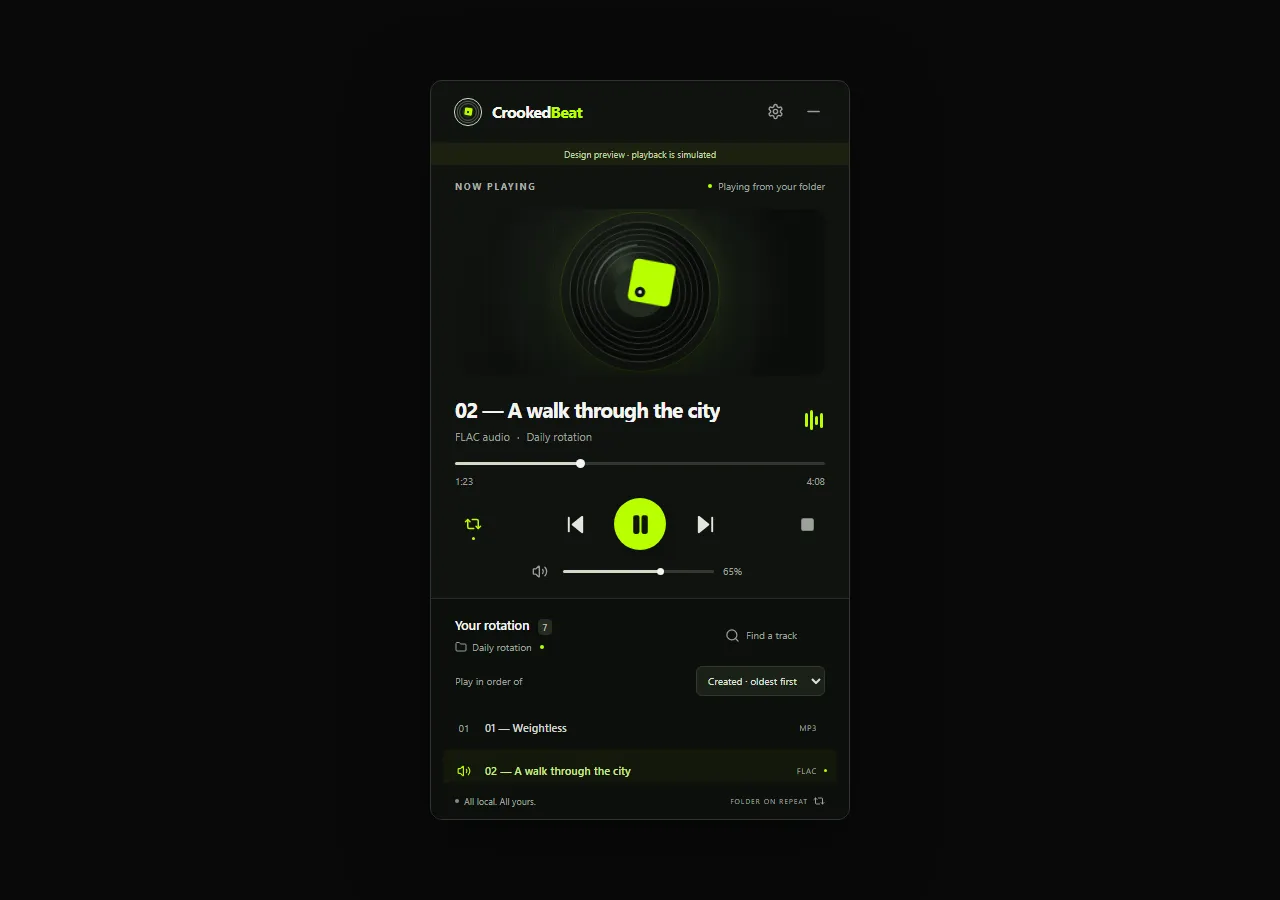
Choose a folder and CrookedBeat immediately starts playing its tracks on repeat.
Add files in Explorer and they appear in the list. Delete them and they disappear. There is nothing to import, build, or save. Files inside subfolders are left out for now.
Tracks can be ordered by creation date or filename. The chosen order is remembered and controls what plays next.
Always there, never in the way
Close the window and the player hides in the system tray, still playing. Videos and other audio files can open in your usual media player without disturbing the playlist in CrookedBeat.
The app launches with Windows, starts hidden in the tray, and resumes the music. Launch at login can be turned off in settings.
Picks up where it left off
CrookedBeat remembers the selected folder, current track, volume, and playback position.
After a restart, it resumes from the saved position at the same volume. There is no need to find the track again or readjust the sound.
Everything stays on your computer
The player needs no internet connection or account. It sends no telemetry and uploads no music. Your files and settings stay on your computer.
It supports MP3, WAV, FLAC, M4A, OGG, AAC, and AIFF.
Now my background music has its own little app. I can open a video without losing the playlist, restart the computer, and let the music carry on by itself. That is all I wanted it to do.
CrookedBeat is made by CrookedPixel — Ideas become real.